Your progress is saved in this browser. There’s no timer.
Before you start
- Have an active mobile service, signal and your trusted person's correct telephone number.
- Ask them whether now is a suitable time for a short call; normal plan charges can apply.
A clear way through this guide.
We’ll show you one step at a time. When you’re ready, press Done — next step. You can go back or take a break whenever you like.
6 steps · Your own pace
Save a contact and call them on Samsung
Step 1 of 6: Open Contacts
Find and tap Contacts. If it is not on Home, open the Apps screen and search for Contacts. Look for Samsung's installed app rather than downloading a replacement for this exercise.
✓ Step complete. You can practise it again.
Step 2 of 6: Start a contact
Tap the plus button to add someone. If asked where to save the contact, choose your own usual account or the phone. Note which you selected so you know where this entry belongs.
✓ Step complete. You can practise it again.
Step 3 of 6: Enter and check the details
Type the person's name and telephone number into the matching fields. Compare every digit with the number they supplied. You can leave optional fields such as an address empty. Tap Save.
✓ Step complete. You can practise it again.
Step 4 of 6: Find them in Phone
Open Phone and choose its Contacts tab. Find the name you just saved and tap it. Check the displayed number; if they have several numbers, select the one they asked you to use.
✓ Step complete. You can practise it again.
Step 5 of 6: Make your practice call
Tap the call symbol. If a dual-SIM phone asks which SIM to use, choose the line you normally use for calls. Say hello and explain that you are practising your phone controls.
✓ Step complete. You can practise it again.
Step 6 of 6: End and find the contact again
Tap the red end-call symbol when finished. Return to Contacts and find the saved name again. If you spot a mistake, open the entry, tap Edit, correct it and tap Save.
✓ Step complete. You can practise it again.
Take your time. Next marks this step done.
You’ve finished this guide.
Every step is complete. You can come back and practise again whenever you like.
Your small practice task.
Save one trusted contact, call them at an agreed time and end the call yourself.
Completing the guide records your progress here; it does not check your device settings.
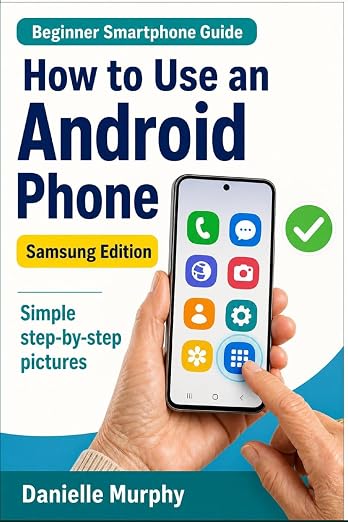
Prefer a guide beside your phone?
Explore Danielle Murphy’s picture-led paperback: 100 lessons across 10 sections, with large screenshots and highlighted controls.
Explore the Samsung bookA common question.
Is a contact saved on the phone automatically backed up?
No. The storage choice matters. A contact saved only to the phone is different from one saved in an account with contact synchronisation enabled. Check your account's backup settings separately.
Official help, if you need it.
These links provide the product’s own instructions or relevant public guidance. Settings can differ by model and software version.