Your progress is saved in this browser. There’s no timer.
Before you start
- An unlocked phone
- Verified copies of important photos and files
- Time to check each proposed deletion
A clear way through this guide.
We’ll show you one step at a time. When you’re ready, press Done — next step. You can go back or take a break whenever you like.
5 steps · Your own pace
Make space on your phone carefully
Step 1 of 5: Inspect device storage
iPhone: open Settings, General and iPhone Storage. Android: search Settings for Storage. Read the largest categories and app entries. Cloud storage screens show a separate limit; make sure you are examining the phone itself.
✓ Step complete. You can practise it again.
Step 2 of 5: Remove replaceable downloads first
Open a streaming or podcast app and review downloaded items you no longer need offline. Remove the download using that app’s control, after checking it can be obtained again. This is often clearer than deleting unfamiliar folders.
✓ Step complete. You can practise it again.
Step 3 of 5: Review unused apps
Check important data before removing an app. iPhone may offer Offload App, which keeps its documents/data while removing software. Delete App or Android Uninstall can remove local app data. Removing an app does not necessarily cancel its subscription.
✓ Step complete. You can practise it again.
Step 4 of 5: Handle photos with care
Verify backup completion and open a sample copy elsewhere first. Cloud photo deletion may also delete synced copies. Google Photos’ Free up space on this device is different from deleting library items; read the confirmation carefully before proceeding.
✓ Step complete. You can practise it again.
Step 5 of 5: Recheck the result
Return to device Storage and allow it to recalculate. Avoid Clear storage/data unless you understand what that app will lose. If space remains unexpectedly full, consult the manufacturer rather than installing a cleaner promising a guaranteed repair.
✓ Step complete. You can practise it again.
Take your time. Next marks this step done.
You’ve finished this guide.
Every step is complete. You can come back and practise again whenever you like.
Your small practice task.
Read your largest storage category and identify one replaceable download without deleting precious files.
Completing the guide records your progress here; it does not check your device settings.
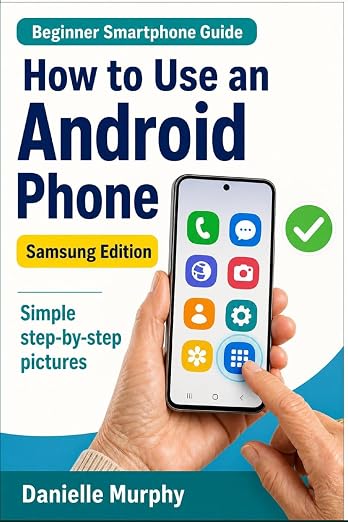
Prefer a guide beside your phone?
Explore Danielle Murphy’s picture-led paperback: 100 lessons across 10 sections, with large screenshots and highlighted controls.
Explore the Samsung bookA common question.
Can I empty the photo bin immediately?
That removes a recovery option and may be permanent. Wait until you have checked the correct files and independent copies.
Official help, if you need it.
These links provide the product’s own instructions or relevant public guidance. Settings can differ by model and software version.