Your progress is saved in this browser. There’s no timer.
Before you start
- An unlocked phone
- A short video or a trusted person who can call
A clear way through this guide.
We’ll show you one step at a time. When you’re ready, press Done — next step. You can go back or take a break whenever you like.
5 steps · Your own pace
Adjust the sound you actually want to hear
Step 1 of 5: Test media sound
Play a short video or music sample, then press a side volume button. Raise it gradually until comfortable. This normally changes media sound while something is playing. Start quietly, especially when wearing headphones.
✓ Step complete. You can practise it again.
Step 2 of 5: Set incoming-call sound
iPhone: open Settings, Sounds & Haptics and adjust the ringtone/alert slider. Android: press a volume button and expand the sound controls, or open Sound settings. Find Ring volume; labels vary by manufacturer.
✓ Step complete. You can practise it again.
Step 3 of 5: Check silent and quiet modes
Look for Silent, Vibrate, Focus or Do Not Disturb. These can suppress alerts despite a high volume setting. On iPhone, the silent control may be a switch, Action button or onscreen control, depending on model.
✓ Step complete. You can practise it again.
Step 4 of 5: Check where audio is going
If Bluetooth headphones or speakers are connected, sound may be playing there. Disconnect an accessory temporarily or choose the phone as the audio output. Make one change, then replay the same short sample.
✓ Step complete. You can practise it again.
Step 5 of 5: Test calls and alarms separately
During a trusted test call, use the volume buttons to adjust the other person’s voice. Alarm sound has separate controls on some devices. Check it in Clock and run a short test instead of relying on a ringtone test.
✓ Step complete. You can practise it again.
Take your time. Next marks this step done.
You’ve finished this guide.
Every step is complete. You can come back and practise again whenever you like.
Your small practice task.
Test one video and one incoming call, adjusting each sound separately.
Completing the guide records your progress here; it does not check your device settings.
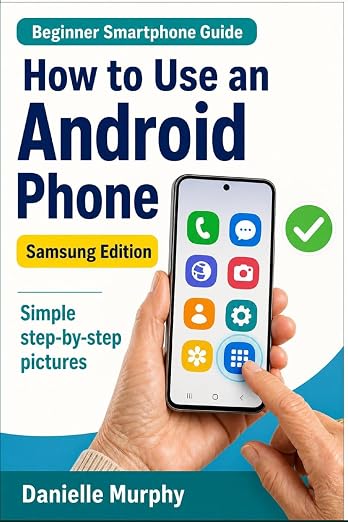
Prefer a guide beside your phone?
Explore Danielle Murphy’s picture-led paperback: 100 lessons across 10 sections, with large screenshots and highlighted controls.
Explore the Samsung bookA common question.
The ringtone is loud but a video is quiet. Why?
They use different sound controls. Start the video and adjust media volume while it is playing.
Official help, if you need it.
These links provide the product’s own instructions or relevant public guidance. Settings can differ by model and software version.