Your progress is saved in this browser. There’s no timer.
Before you start
- Charged phone and headphones
- The headphones’ pairing instructions
- Time to test a short audio sample
A clear way through this guide.
We’ll show you one step at a time. When you’re ready, press Done — next step. You can go back or take a break whenever you like.
5 steps · Your own pace
Connect Bluetooth headphones and check a failed connection
Step 1 of 5: Prepare the headphones
Turn them on and activate pairing mode using their documented button or case action. Look for the stated light or prompt. Disconnect them from another nearby device if that connection prevents pairing with your phone.
✓ Step complete. You can practise it again.
Step 2 of 5: Open phone Bluetooth settings
iPhone: Settings, Bluetooth. Android: Settings, Connected devices/Bluetooth, or touch and hold the Bluetooth quick control. Turn Bluetooth on and choose Pair new device where required. Keep the devices close together.
✓ Step complete. You can practise it again.
Step 3 of 5: Select the correct name
Compare the listed accessory name with the headphones’ manual or label. Tap it and follow the confirmation prompt. If a PIN is requested, use the accessory’s documentation rather than guessing repeatedly.
✓ Step complete. You can practise it again.
Step 4 of 5: Check connected status and sound
Look for Connected, then play a quiet sample. If sound remains on the phone, choose the headphones as the audio output. Raise volume gradually. Calls and media may have separate connection options on some phones.
✓ Step complete. You can practise it again.
Step 5 of 5: Retry a failed connection
Confirm charge and pairing mode, then restart the headphones and toggle phone Bluetooth off and on. If previously paired, try reconnecting its saved entry. Forget and re-pair only when you know how to put that accessory back into pairing mode.
✓ Step complete. You can practise it again.
Take your time. Next marks this step done.
You’ve finished this guide.
Every step is complete. You can come back and practise again whenever you like.
Your small practice task.
Pair or reconnect your headphones and confirm a short sample plays through them.
Completing the guide records your progress here; it does not check your device settings.
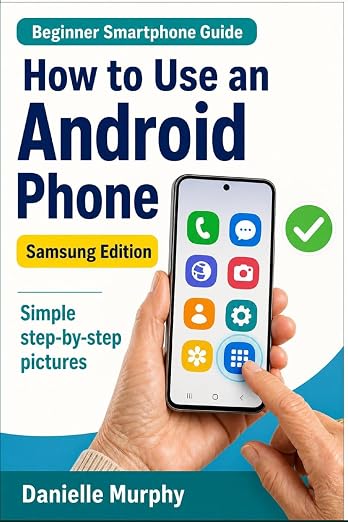
Prefer a guide beside your phone?
Explore Danielle Murphy’s picture-led paperback: 100 lessons across 10 sections, with large screenshots and highlighted controls.
Explore the Samsung bookA common question.
Must I pair them every time?
Usually not. Once paired, compatible devices can reconnect when nearby and enabled, although another active device can affect which one gets the connection.
Official help, if you need it.
These links provide the product’s own instructions or relevant public guidance. Settings can differ by model and software version.