
Your progress is saved in this browser. There’s no timer.
Before you start
- Your usual photo app
- Access to the account used for photo storage
A clear way through this guide.
We’ll show you one step at a time. When you’re ready, press Done — next step. You can go back or take a break whenever you like.
5 steps · Your own pace
Look for a missing phone photo
Step 1 of 5: Confirm the account
Open Photos, Gallery or Google Photos. In Google Photos, check the profile picture and account address. On iPhone, check the Apple Account used for iCloud if relevant. A different account can show a different library.
✓ Step complete. You can practise it again.
Step 2 of 5: Search dates and collections
Look around the expected date, then try a place or subject search if supported. Downloaded images may have unexpected dates. Android photos from other apps may be under device folders or Collections rather than the main camera view.
✓ Step complete. You can practise it again.
Step 3 of 5: Check hidden or archived items
iPhone: look for Hidden under Photos utilities and unlock it with your own device authentication. Google Photos: look in Archive and any relevant device folder. A hidden or archived photo is not necessarily deleted.
✓ Step complete. You can practise it again.
Step 4 of 5: Inspect recently deleted items
Look for Recently Deleted on iPhone or Trash/Bin in your photo app. Recover the correct item if available. Retention periods vary by service and backup status; an item permanently deleted or past that period may be unrecoverable.
✓ Step complete. You can practise it again.
Step 5 of 5: Check a known online copy
If you previously enabled cloud photo storage, use the service’s genuine website or another signed-in device to look. Do not reset your phone or toggle several sync settings blindly. Ask the provider for help if an important image is still missing.
✓ Step complete. You can practise it again.
Take your time. Next marks this step done.
You’ve finished this guide.
Every step is complete. You can come back and practise again whenever you like.
Your small practice task.
Find your account name and the location of your photo app’s deleted-items collection.
Completing the guide records your progress here; it does not check your device settings.
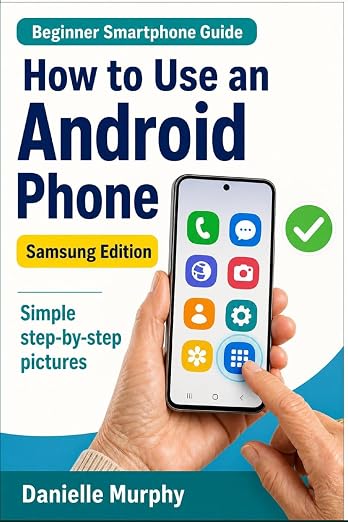
Prefer a guide beside your phone?
Explore Danielle Murphy’s picture-led paperback: 100 lessons across 10 sections, with large screenshots and highlighted controls.
Explore the Samsung bookA common question.
Will a recovery app find every deleted photo?
No. Recovery is not guaranteed. Avoid paying or granting broad access based on promises that all lost pictures can be restored.
Official help, if you need it.
These links provide the product’s own instructions or relevant public guidance. Settings can differ by model and software version.