Your progress is saved in this browser. There’s no timer.
Before you start
- Internet access
- Your app-store account
- Enough device storage
- The name of the service you intend to install
A clear way through this guide.
We’ll show you one step at a time. When you’re ready, press Done — next step. You can go back or take a break whenever you like.
5 steps · Your own pace
Install an app from your phone’s app store
Step 1 of 5: Open the correct store
iPhone: open App Store. Android: open Google Play on devices that include it. Some Android devices use another manufacturer’s store. Avoid installing files from unexpected texts, pop-ups or adverts promising a special version.
✓ Step complete. You can practise it again.
Step 2 of 5: Search and check the publisher
Type the exact service name. Open its listing and compare the publisher with the service’s official website. Similar names and icons can belong to different apps. Check device compatibility and the permissions or privacy information shown.
✓ Step complete. You can practise it again.
Step 3 of 5: Read the price information
Look for Get, Install or a price. Also check for in-app purchases and subscriptions. A free download can still contain paid features. Do not approve a trial until you understand when it renews and how to cancel it.
✓ Step complete. You can practise it again.
Step 4 of 5: Install and approve deliberately
Tap the download control only after checking the listing. Your phone may ask for your own device or account authentication. Wait for installation to finish; do not give a helper your password or a one-time sign-in code.
✓ Step complete. You can practise it again.
Step 5 of 5: Open and review access
Open the installed app. Read any permission request before agreeing. A camera app may need the camera; a simple puzzle may not need contacts. Choose limited access or decline when appropriate, then check whether the feature still works.
✓ Step complete. You can practise it again.
Take your time. Next marks this step done.
You’ve finished this guide.
Every step is complete. You can come back and practise again whenever you like.
Your small practice task.
Find an app listing and identify its publisher and cost without installing it.
Completing the guide records your progress here; it does not check your device settings.
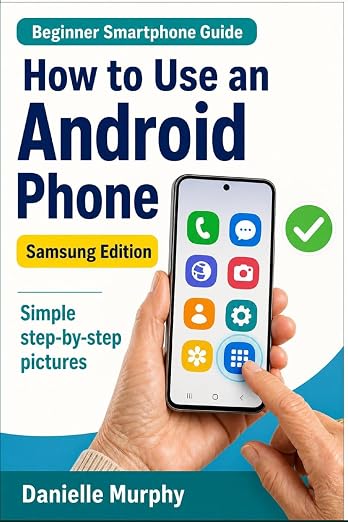
Prefer a guide beside your phone?
Explore Danielle Murphy’s picture-led paperback: 100 lessons across 10 sections, with large screenshots and highlighted controls.
Explore the Samsung bookA common question.
Can I undo the installation?
You can usually uninstall the app. Check for saved data first, and cancel subscriptions separately through the store or service that bills you.
Official help, if you need it.
These links provide the product’s own instructions or relevant public guidance. Settings can differ by model and software version.