Your progress is saved in this browser. There’s no timer.
Before you start
- The affected app
- Internet access if that app needs it
- A trusted person to send a test message if useful
A clear way through this guide.
We’ll show you one step at a time. When you’re ready, press Done — next step. You can go back or take a break whenever you like.
5 steps · Your own pace
Check why a phone alert did not appear
Step 1 of 5: Open the app itself
Check whether the expected message or event is inside the app. If it is missing there too, investigate delivery, account or connection rather than only notifications. Confirm the app is signed in to the right account.
✓ Step complete. You can practise it again.
Step 2 of 5: Check quiet modes
Look for Focus or Do Not Disturb and any schedules that enable them. iPhone uses Focus controls; Android menus vary. Temporarily adjust the relevant mode for an agreed test, while keeping any important exceptions in mind.
✓ Step complete. You can practise it again.
Step 3 of 5: Review that app’s permission
iPhone: Settings, Notifications, then choose the app. Android: Settings, Notifications or Apps, then the app’s notification controls. Check that notifications are allowed and the required category is enabled. Different alert types may have separate switches.
✓ Step complete. You can practise it again.
Step 4 of 5: Check appearance and sound
A notification can be allowed but silent or absent from the Lock Screen. Review banner, sound and lock-screen options. Consider privacy before showing message content on a locked screen where other people can see it.
✓ Step complete. You can practise it again.
Step 5 of 5: Send one fresh test
Arrange a fresh message or event. If it fails, check the app’s alert settings and update it. Battery-saving or background restrictions can affect alerts; consult the app and manufacturer’s guidance.
✓ Step complete. You can practise it again.
Take your time. Next marks this step done.
You’ve finished this guide.
Every step is complete. You can come back and practise again whenever you like.
Your small practice task.
Find one app’s notification setting and test it with a fresh, agreed message.
Completing the guide records your progress here; it does not check your device settings.
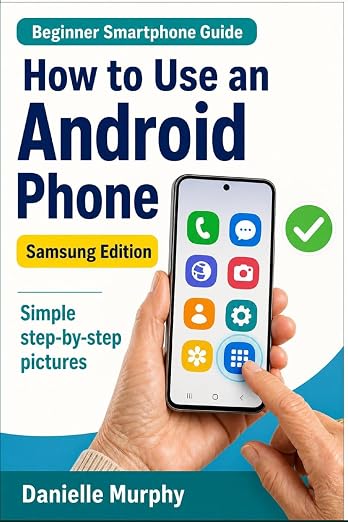
Prefer a guide beside your phone?
Explore Danielle Murphy’s picture-led paperback: 100 lessons across 10 sections, with large screenshots and highlighted controls.
Explore the Samsung bookA common question.
Will enabling alerts bring back old notifications?
Not always. Test a new event, and find older messages inside the app instead of expecting every previous alert to reappear.
Official help, if you need it.
These links provide the product’s own instructions or relevant public guidance. Settings can differ by model and software version.