
Your progress is saved in this browser. There’s no timer.
Before you start
- A phone with calling service
- A trusted person willing to make a test call
- A comfortable sound level
A clear way through this guide.
We’ll show you one step at a time. When you’re ready, press Done — next step. You can go back or take a break whenever you like.
5 steps · Your own pace
Answer and finish a phone call
Step 1 of 5: Arrange a short test
Ask someone you know to ring your mobile number. Put the phone where you can reach it. A tablet without phone calling capability may need a separate calling service; this practice is for a phone’s normal call screen.
✓ Step complete. You can practise it again.
Step 2 of 5: Read the incoming screen
Look for the caller’s name or number and the labelled answer control. Displayed numbers can be disguised, so a familiar-looking number is not proof of identity. You can let an unexpected call go unanswered.
✓ Step complete. You can practise it again.
Step 3 of 5: Answer using the shown control
If Answer appears as a button, tap it. If there is a slider or swipe instruction, follow it in the direction shown. Locked iPhones and some Android phones use a swipe; unlocked screens may show separate answer and decline buttons.
✓ Step complete. You can practise it again.
Step 4 of 5: Adjust the conversation sound
Hold the phone comfortably and use the side volume buttons during the call. Speaker routes sound into the room; tap it only when wanted and consider who can hear. A mute control stops your microphone, not the other person’s voice.
✓ Step complete. You can practise it again.
Step 5 of 5: Finish the call
Tap the red end-call control when you are done. Wait until the call screen closes or returns to call details. Do not assume that locking the screen always ends the conversation; check the call has actually finished.
✓ Step complete. You can practise it again.
Take your time. Next marks this step done.
You’ve finished this guide.
Every step is complete. You can come back and practise again whenever you like.
Your small practice task.
Answer a trusted test call, adjust the voice volume and end the call on screen.
Completing the guide records your progress here; it does not check your device settings.
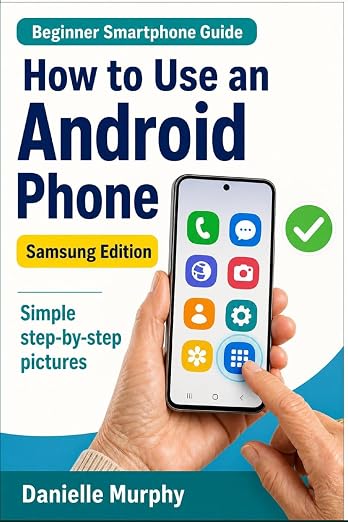
Prefer a guide beside your phone?
Explore Danielle Murphy’s picture-led paperback: 100 lessons across 10 sections, with large screenshots and highlighted controls.
Explore the Samsung bookA common question.
Can I ignore a call?
Yes. You can decline it or let it ring. Voicemail availability and charges depend on your service provider.
Official help, if you need it.
These links provide the product’s own instructions or relevant public guidance. Settings can differ by model and software version.